To download the app on an iOS device, please follow the steps below:
1. Log in and navigate to the course homepage.
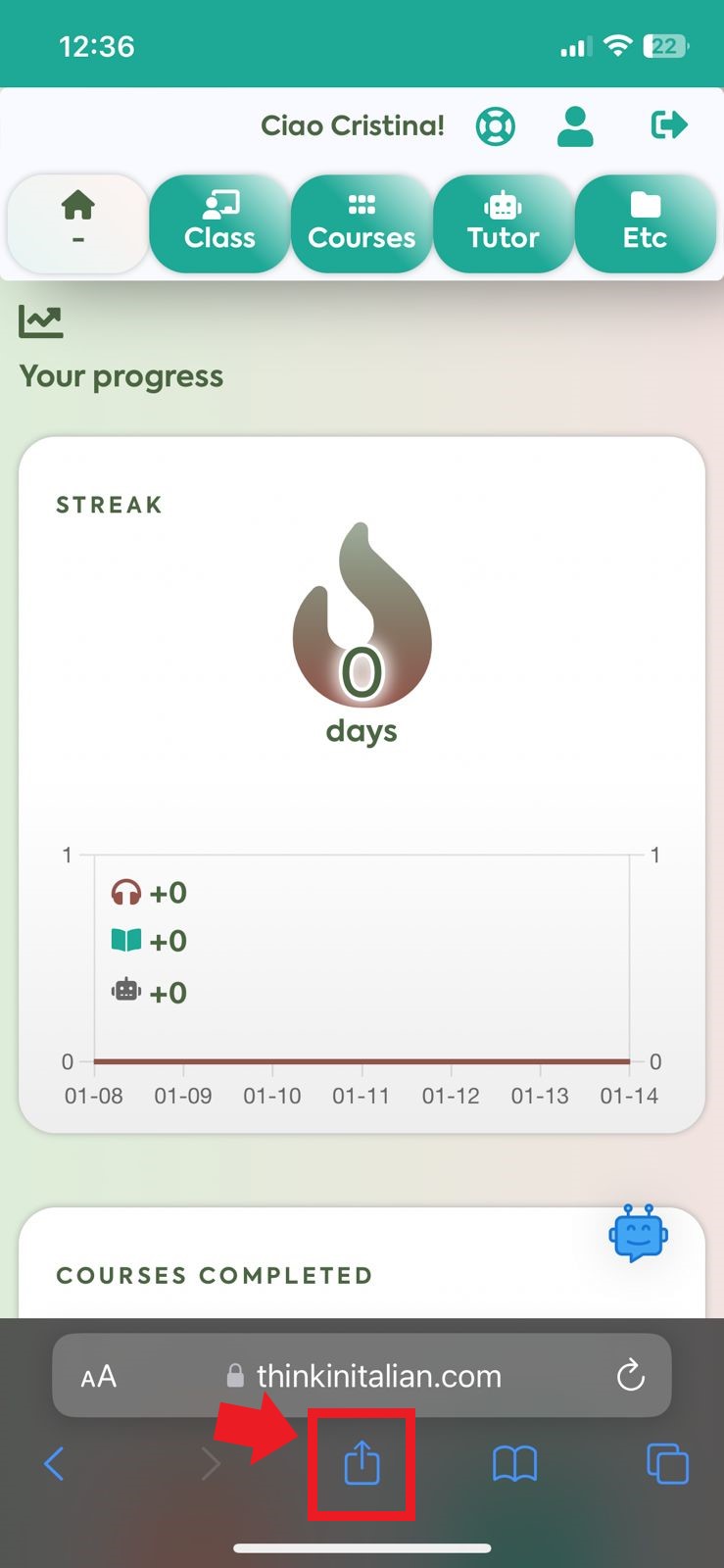
2. Once there, click the “Share” button.
2. Once there, click the “Share” button.
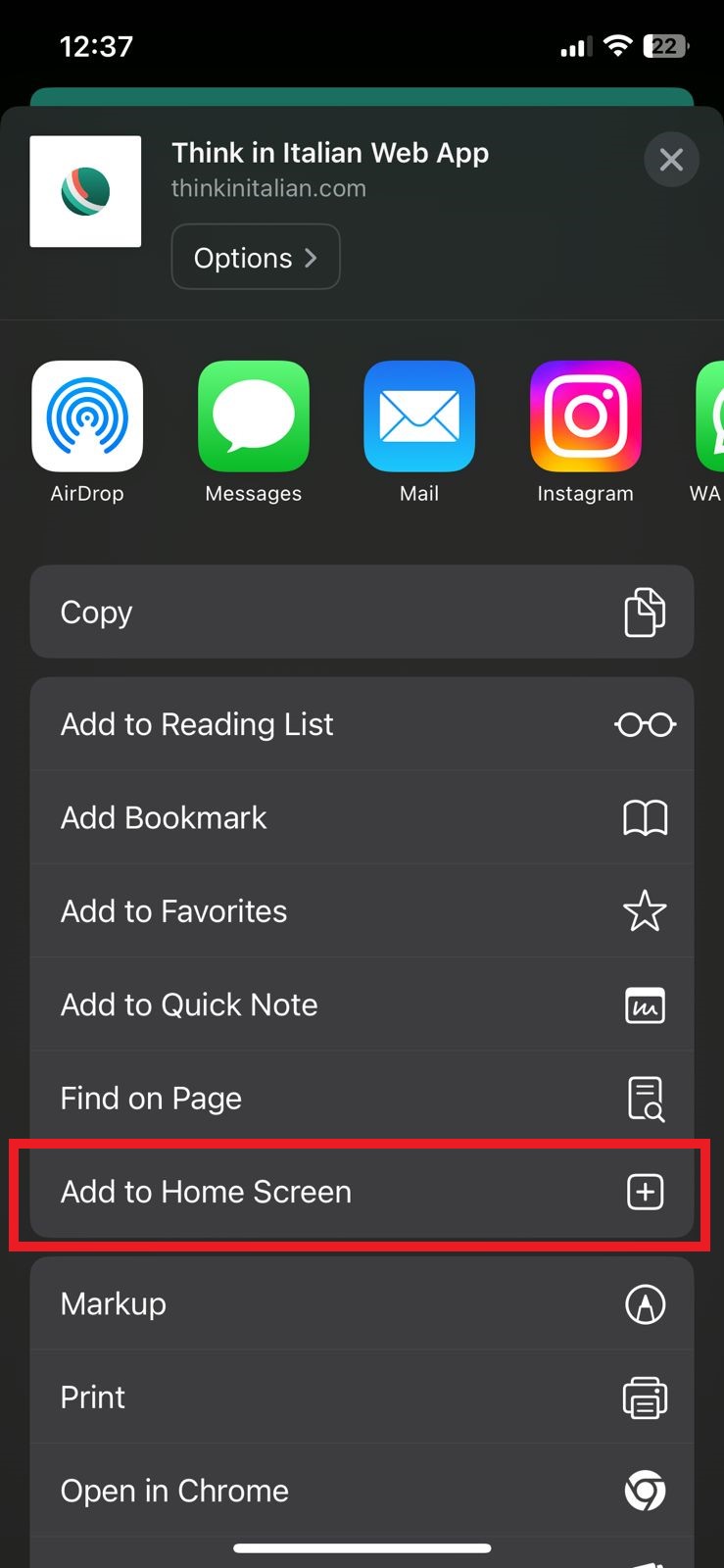
3. Select “Add to Home Screen” from the popup.
The app should now be installed on your device.
If you’re having trouble downloading our app, you may contact support for assistance.