How do I install the app on an Android device?

To download the app on Android, you have two options:

  • OPTION 1
  1. On the download page, click the “Install App” button.
    install app on android a1
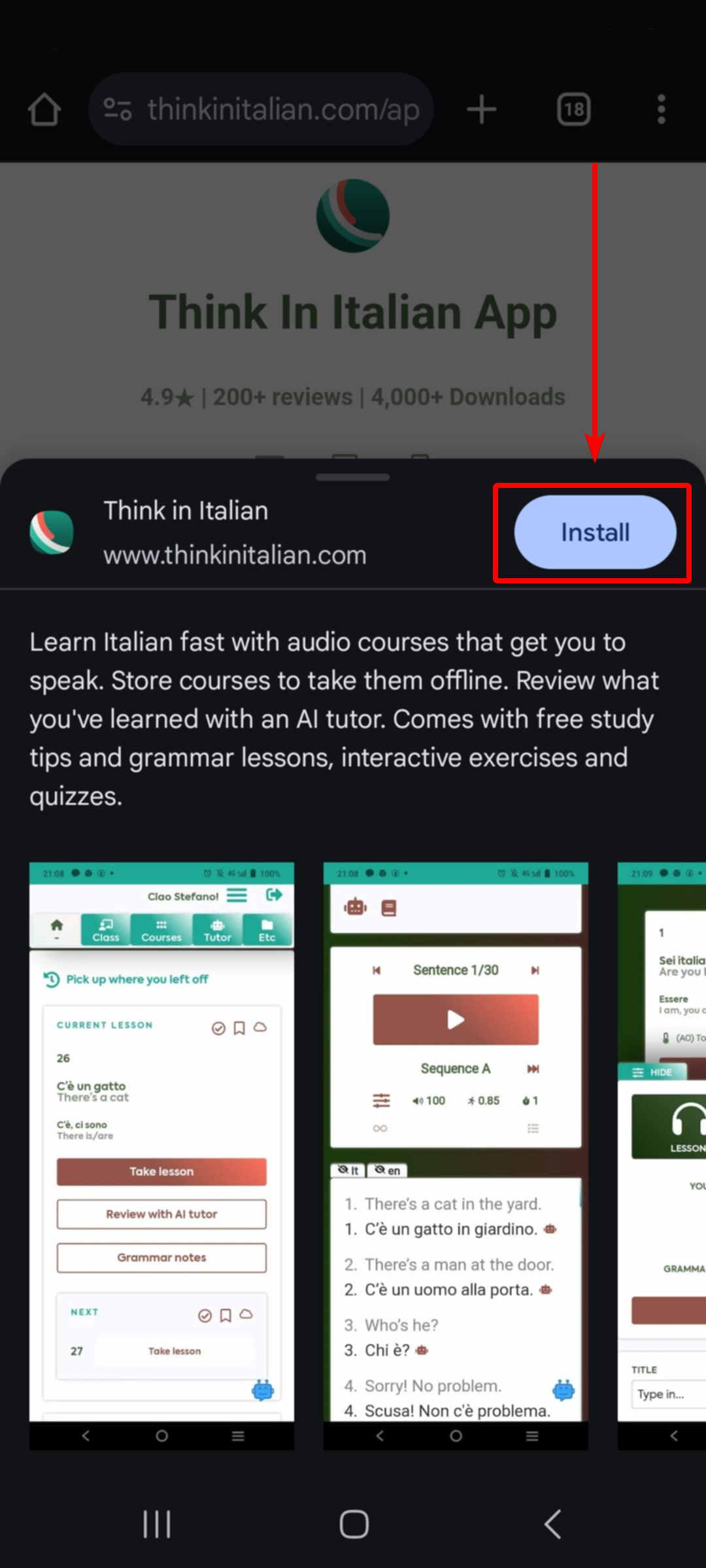
  2. Click “Install“.
    install app on android a2


  • OPTION 2
  1. Click the three dots on the top right.
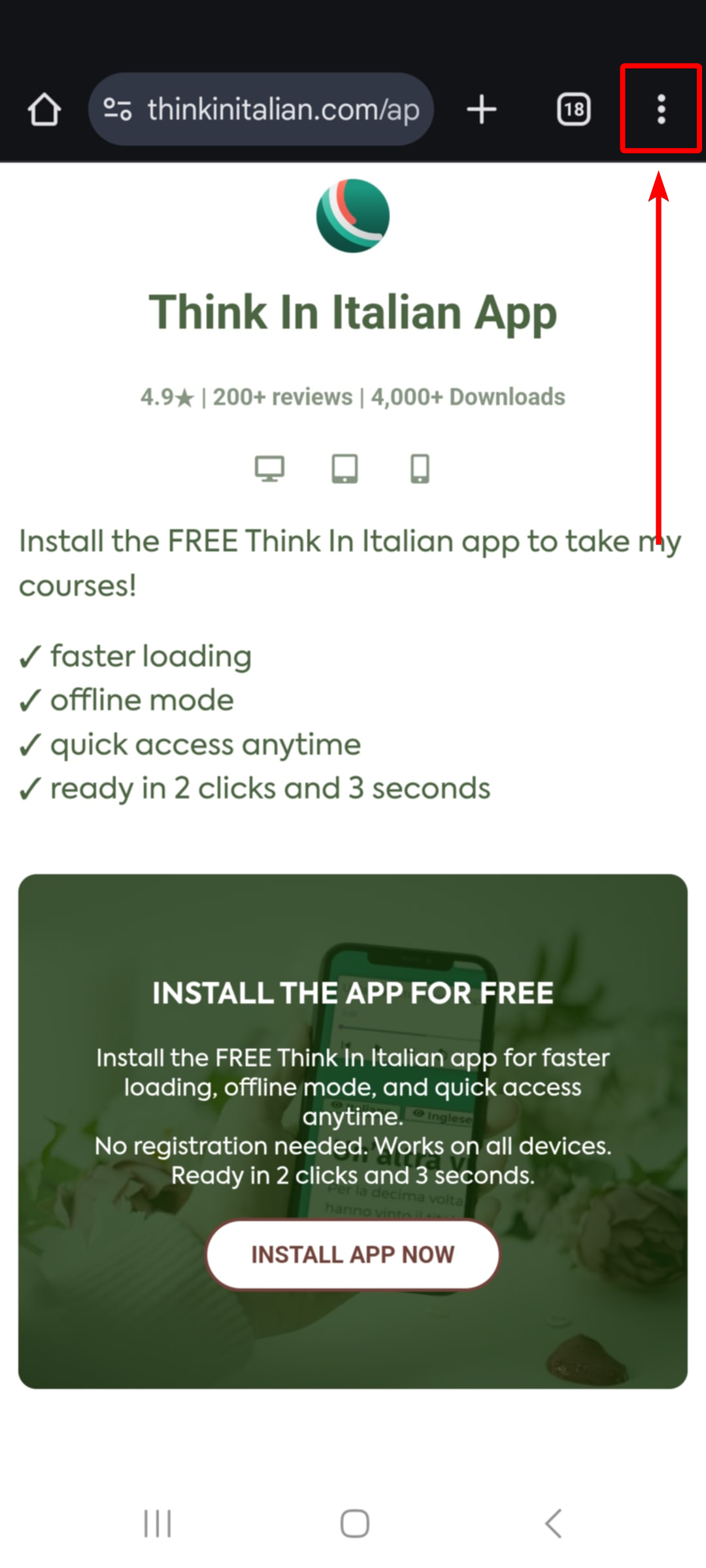
    install app on android b1
  2. Scroll down and click “Add to Home screen” from the options.
    install app on android b2
  3. Select “Install” from the options.
    install app on android b3
  4. Click the “Install” button.
    install app on android b4

The app should now be installed on your device.

If you’re having trouble downloading our app, you may contact support for assistance.

Related

What's new

Social signup
[TheChamp-Login redirect_url="https://www.thinkinitalian.com/app/"]
"I've tried other apps like Babbel and Memrise. None made me fluent or made me feel like I was making much meaningful progress in learning a language."
testimonial 2
Ecem Topcu
Aug 7, 2025