How to change password / display name / email address?

1. On the left side of your screen, click “More“.
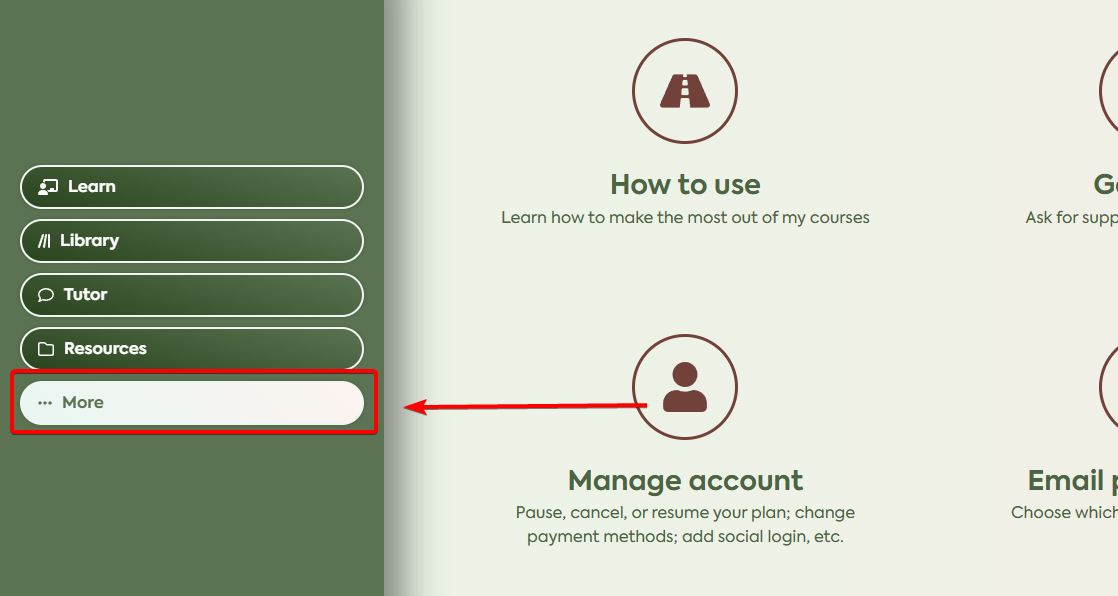
more

2. From the options, click on “Manage account“.

manage your account

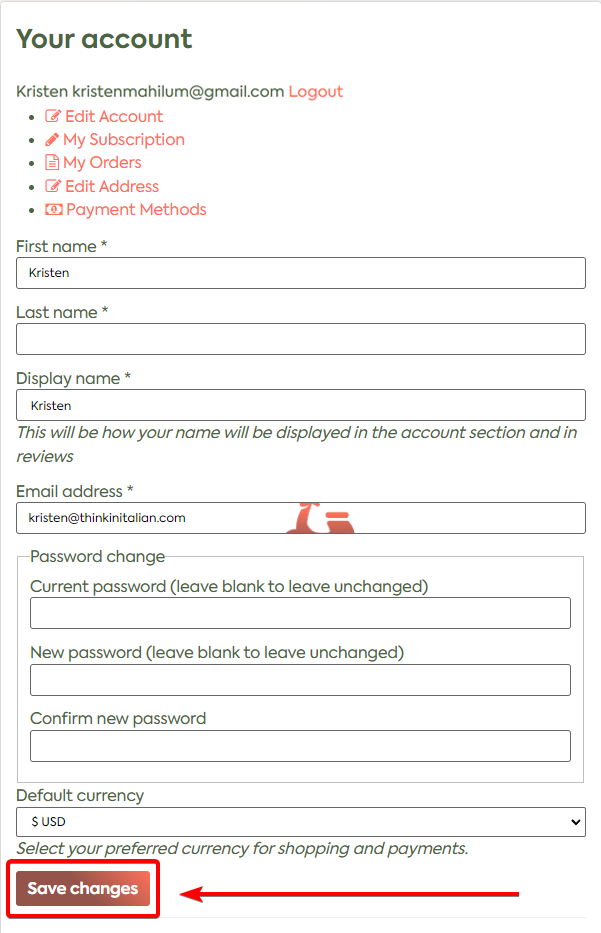
3. You will be taken to the Account area. Select “Edit Account” and make your desired changes.
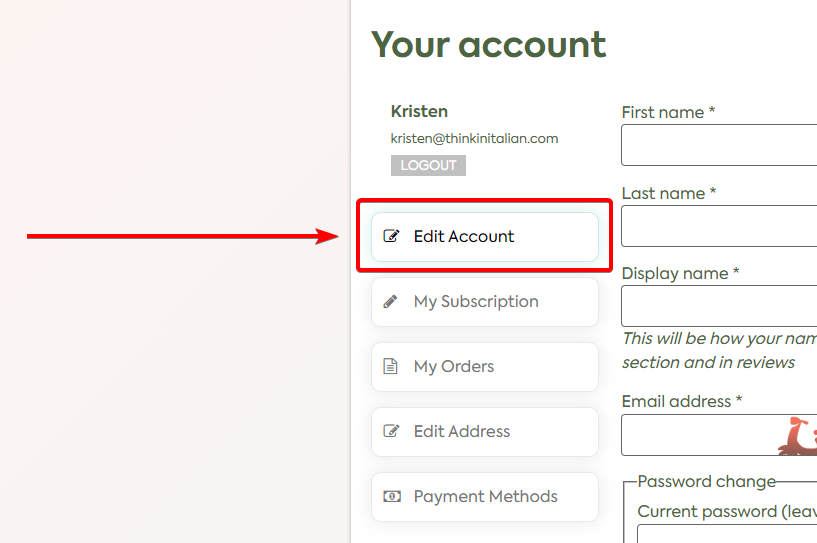
edit acount

4. Once you’re done, click on “Save changes” which is located at the bottom.
account details

Related

How to switch plans?

You may change your subscription (i.e. downgrade or upgrade) by yourself on your account page at any time.   1. On the left side of the screen,

What's new

Social signup
[TheChamp-Login redirect_url="https://www.thinkinitalian.com/app/"]
"I've tried other apps like Babbel and Memrise. None made me fluent or made me feel like I was making much meaningful progress in learning a language."
testimonial 2
Ecem Topcu
Aug 7, 2025