How I test and score
I sift through the plethora of language apps, delivering reviews based on deep expertise in language learning and teaching.
My review process starts with an initial walk-through, using the app for at least 15 minutes to capture first impressions and usability.
I then conduct a criteria-based evaluation focusing on key features like spaced repetition, user customization, and the balance between educational content and gamification.
My reviews are thorough, with a scoring system that emphasizes course quality (70%) over user experience (20%) and price (10%).
Importantly, I do not receive payment for these reviews.
Learn more on my review policy and process page.
Summary
Course quality
User experience
Pricing
Pros
- Offers structured speaking practice.
- Includes a variety of categories.
- Features daily short videos.
- Provides feedback on pronunciation.
- Reasonably priced.
Cons
- Outdated interface.
- Poor audio quality.
- Inconsistent volume levels.
- Clunky navigation.
- Limited to supplementary practice.
Best suited for
Learners seeking additional practice alongside other learning methods will benefit the most from Yabla.
At a glance

App name
Yabla
Made by
Yabla Inc
User base
Sentiment
- Users appreciate the app\'s ability to assist with pronunciation and listening, particularly through its loop and slow features.
- The mobile app version lacks some features available on the PC, diminishing its usability.
- The app is praised for its vast array of videos ranging from beginner to advanced levels, all featuring native speakers in natural settings.
- Many users find the search and sort mechanisms inadequate, unable to filter by multiple criteria, leading to time-consuming searches.
- Some users report technical issues such as app freezing during vocabulary reviews and incomplete feature availability on mobile versions.
Concept
Yabla offers personalized language learning with videos, flashcards, and games to boost vocabulary and comprehension skills.
Available on
Web, iOS
Levels covered
(A0) Total beginner, (A1) Beginner, (A2) Elementary, (B1) Intermediate, (B2) Upper-intermediate, (C1) Advanced
6 languages taught
Chinese, English, French, German, Italian, Spanish
Pricing, free trial, refunds
Pricing
Free trial
Refunds
First-hand review
Walk-through
Despite its dated appearance, this app attempts to aid users in improving their Italian through various resources. Here’s a detailed breakdown of my experience with this app.
Initial Impressions
Upon first glance, the app looks quite outdated. It has the aesthetic of a very old website. However, we won\’t let appearances deceive us, my evaluation is mainly based on how effectively it helps users improve their speaking skills.
Navigating the Main Page
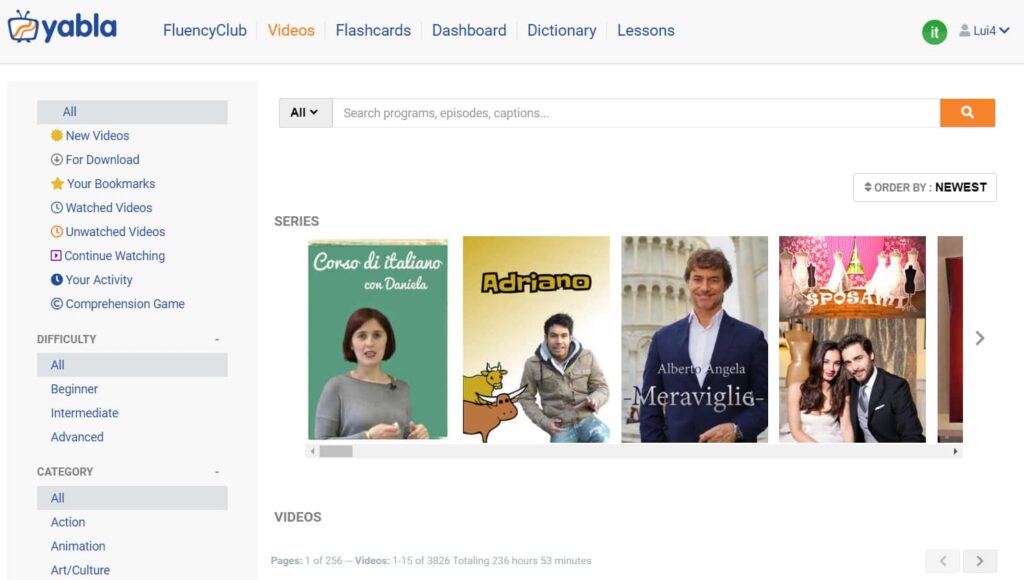
The main page presents a range of videos, organized by difficulty from beginner to advanced. You can browse videos by title, category, or difficulty level. This flexibility is definitely a point in its favor.
Fluency Club
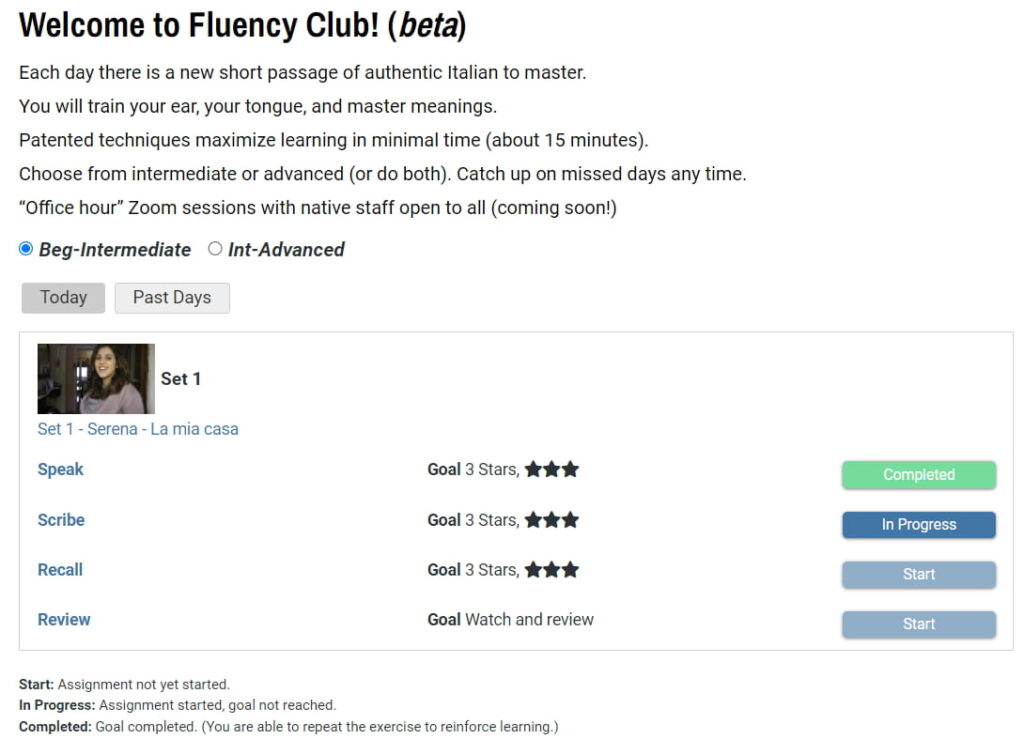
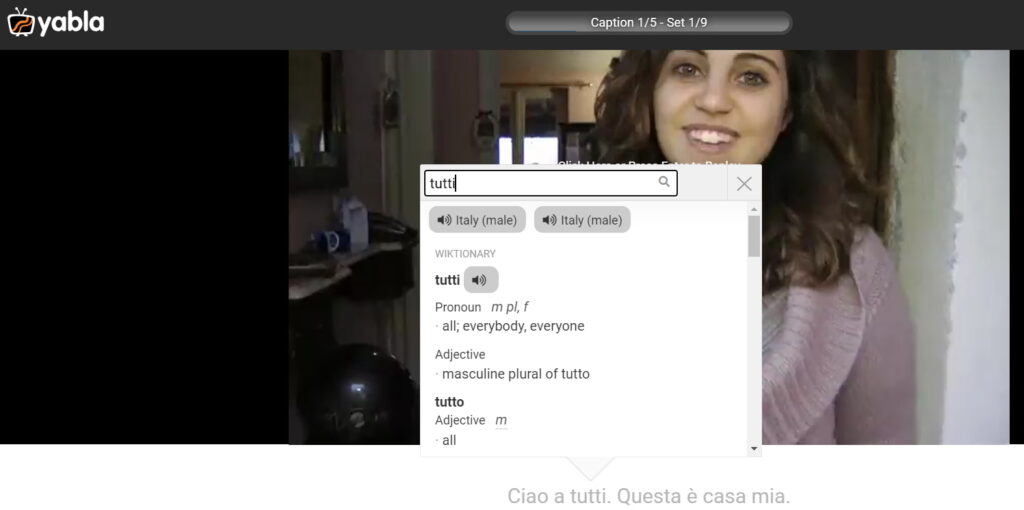
While exploring the page, I decided to check out the \”Fluency Club\”. In this section, the app daily presents a new short video featuring native speakers.
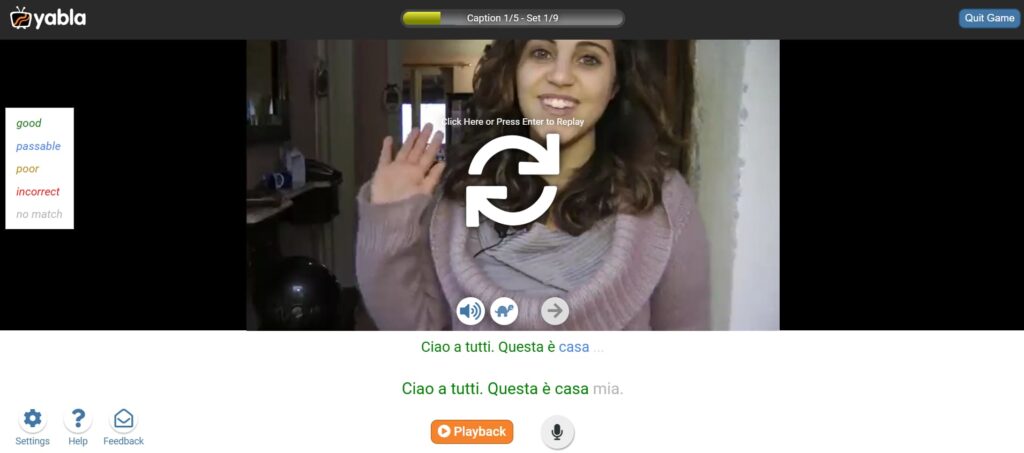
I tested the speaking portion of this section and I was asked to repeat sentences as they appeared on the screen. Every time I made a mistake, I needed to correct it before moving on to the next clip. This process, used correctly, can help reinforce proper pronunciation and boost confidence in speaking.
Unfortunately, I found some inconsistency issues with the speech recognition software. During my first attempt at the speaking exercise, I only had to correct one word twice. However, on my second attempt, the app failed to recognize a word I had previously pronounced correctly and asked me to try again five different times.
Quality of Audio and Interface
One significant drawback is the audio quality. Many clips suffer from noticeable background noise, making it hard to discern spoken words.
This inconsistency is a major flaw, considering the app’s primary function is to aid in learning through video and audio content.
Audio quality can sometimes be extremely low, nearly inaudible, which is not ideal for a paid service.
Practicing with Flashcards
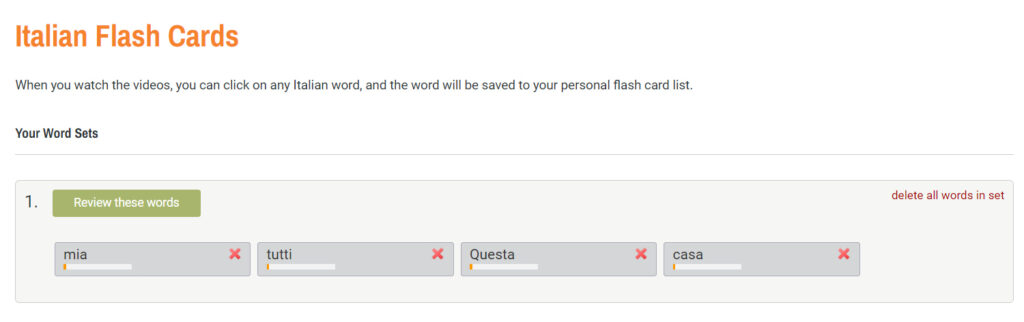
The app includes a flashcard feature. Words clicked on during video sessions are saved here, and users can review and test themselves on these terms. Though functional, the interface feels clunky, and this could be streamlined for a smoother user experience.
Dashboards and Dictionaries
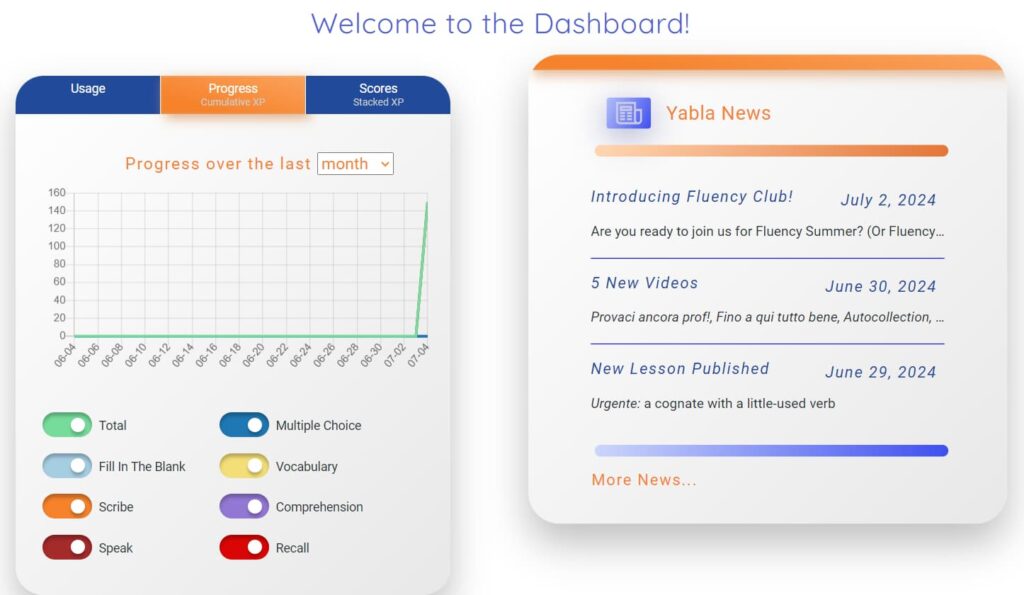
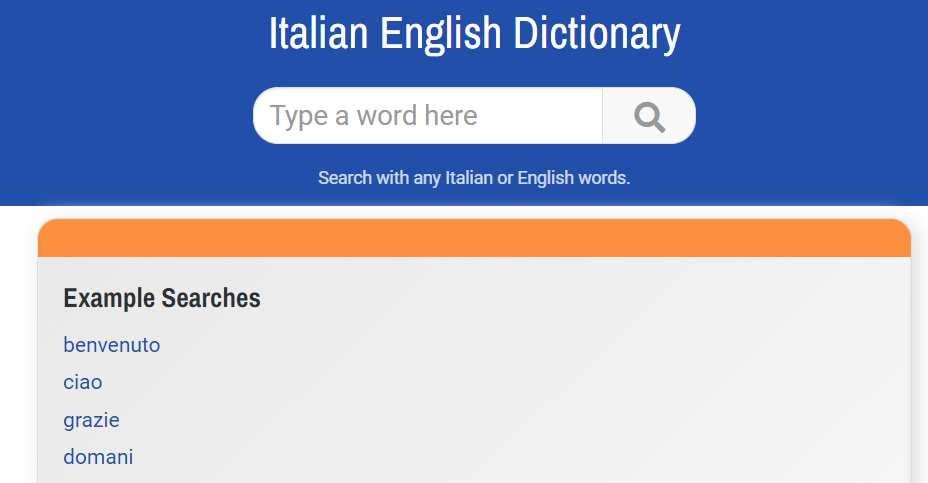
The dashboard section provides an overview of your activity and progress. There is also a built-in dictionary for quick reference, which is handy for looking up words you might struggle with during your learning sessions.
Lessons Section
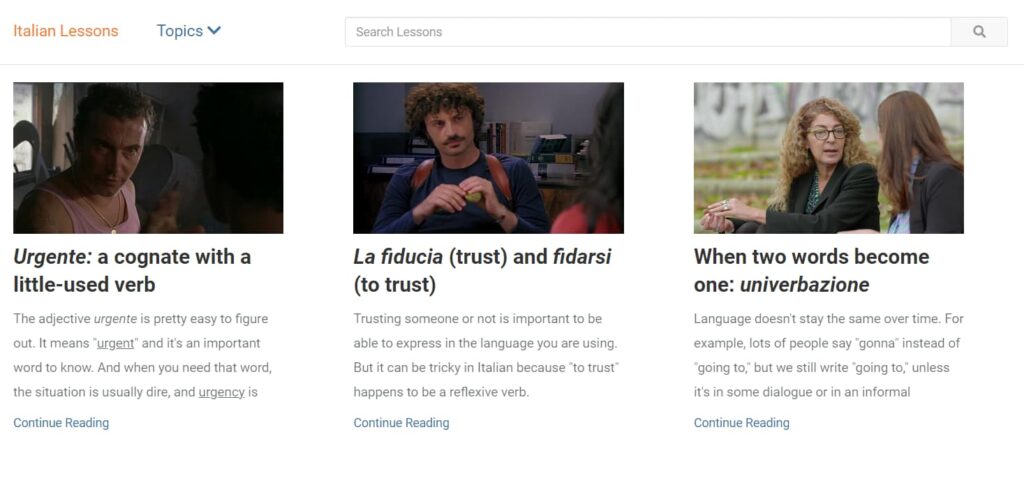
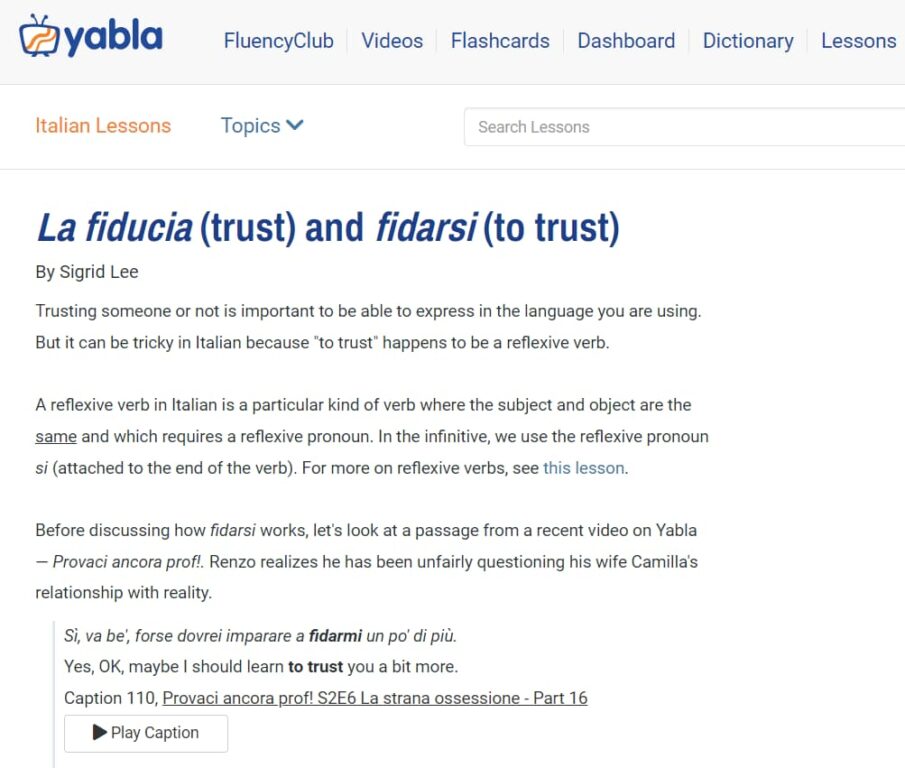
The lessons section feels very old-fashioned. It combines grammar instructions with video clips and dialogues. While this method may seem outdated, the videos and audio clips can provide practical context to the grammar points being taught.
Final Thoughts and Recommendation
Overall, the app has some strong points, particularly the structured practice it offers and its extensive video library. However, several areas need significant improvement. The outdated interface and poor audio quality are major deterrents.
If you\’re already taking a class or learning with a teacher, this app could serve as a supplementary practice tool. It’s unlikely you will become fluent solely using this app, but it can be a helpful resource for additional practice.
In summary, while the app offers some useful tools for practicing Italian, it falls short in several critical areas. Consider your learning needs and preferences before deciding if this is the right app for you.
Have you used this app? What were your thoughts? Feel free to share your experiences with us!
Features
Spaced repetition
Does the app offer plenty of repetition to acquire vocab and grammar naturally?
Customization
Can users customize settings, interface, content, etc.?
Focus on learning
Is the interface and content focused on the course content instead of fluff and gamification?
Personalization
Are the materials automatically tailored to the user’s profile?
Sentence accuracy
Are sentences free from typos, grammar errors? Do they sound natural?
Sentence relevance
Are sentences realistic and useful?
Variety and depth
Is there enough variety of materials in terms of topics, formats and levels?
Audio quality
Are audio materials easy to listen to in terms of recording quality and speech rate?
Speaker's quality
Do speakers speak correctly, clearly and naturally?
Speaking practice
Does the app offer plenty of speaking practice?
Ease of use
Is the app easy to set up, use and navigate?
Interface and design
Is the user interface neat and visually appealing?
Performance
Does the app load fast? Is it free from glitches and crashes?
Grammar notes
Do the courses come with grammar notes?
Learning path
Do the courses follow a well defined path?
Speech recognition
Does the app recognize user speech?
User-generated courses
Can users actively generate materials from their interests?
Offline access
Are the courses available offline?
Conclusions
Would I take these courses?
I would use the app for extra listening and comprehension practice but not rely on it solely due to its audio and interface issues.
How to get the most out of the app
Use Yabba as a supplementary tool for listening and comprehension practice in conjunction with other learning resources for a well-rounded approach.
Alternatives
Think In Italian is better than Yabla to master Italian
Think In Italian is the only app that gets your to speak Italian all the time. It comes with hundreds of grammar lessons and readings to listen and repeat, plus an AI tutor to review the courses and practice conversation. See the full review.
FAQs
Does Yabla help with pronunciation?
Yes, it focuses on correcting mistakes.
Is Yabla's audio quality good?
No, the audio quality is inconsistent.
Is Yabla suitable for achieving fluency?
No, it’s best for supplementary practice.
Create a free lifetime account to get access to all the free courses and other resources.
Rave Reviews
★★★★★
Rated 4.9/5 based on 170+ reviews