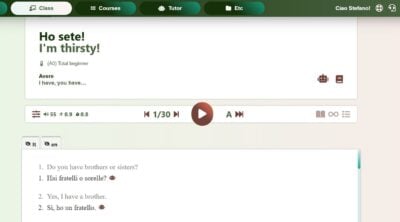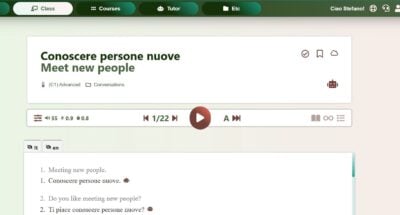
How I test and score
I sift through the plethora of language apps, delivering reviews based on deep expertise in language learning and teaching.
My review process starts with an initial walk-through, using the app for at least 15 minutes to capture first impressions and usability.
I then conduct a criteria-based evaluation focusing on key features like spaced repetition, user customization, and the balance between educational content and gamification.
My reviews are thorough, with a scoring system that emphasizes course quality (70%) over user experience (20%) and price (10%).
Importantly, I do not receive payment for these reviews.
Learn more on my review policy and process page.
Summary
Course quality
User experience
Pricing
Pros
- Import your own material: Turn YouTube videos, Netflix subtitles, ebooks and podcasts into lessons with a transcript. Imports have size limits (60 minutes of audio, 60 MB per file).
- Large, varied library: Thousands of hours of audio with transcripts, from stories and news to podcasts and books, in short lessons.
- Click-to-save vocabulary: Words you look up turn yellow and become LingQs you can review. You can also check several external dictionaries.
- Audio for every lesson: A recording with a button to slow it down.
- One account for 50+ languages, Italian included.
- Progress statistics on Premium, although the known-words count overstates your real vocabulary.
Cons
- No learning path: Lessons come from many sources and follow no plan. Don't expect a course.
- Inconsistent content: Format, length and quality vary. Much of the material is added by users, and some of it comes from other commercial courses.
- Robotic word audio: In my earlier review, clicking a word played text-to-speech, and the speakers I heard had strong regional accents.
- Review queue grows fast: Every saved word joins the flashcard review, and the queue becomes unmanageable unless you save words selectively.
- Cluttered, gamified interface: Coins, avatars, streaks and challenges compete with the text.
- No speaking practice: Reading and listening only. Tutoring and writing exchange are add-ons, and I find italki better for both.
- Very limited free plan: 20 saved words, 5 imported lessons and 1 playlist.
Best suited for
Learners who already read some Italian and want to build vocabulary by reading and listening to material they choose. It is not a first course.
At a glance

App name
LingQ

Made by
LingQ Languages Ltd.
User base
Sentiment
- Technical Issues and Bugs: Users frequently mention encountering technical problems, such as app crashes, bugs in review mode, and issues with premium upgrades not being recognized.
- Limited Free Version: Many users express frustration with the limitations of the free version, particularly the restrictive word limit and the inability to fully test the app's features without upgrading.
- High Cost: The cost of the app is often cited as being too high, especially when compared to similar, free alternatives.
- Customer Support Problems: There are multiple complaints about poor customer service, with users reporting unresponsive support and unresolved issues.
- Useful Progress Tracking: The app's progress tracking features are noted as motivating, helping users stay on track with their language learning goals.
Concept
LingQ is a library of reading and listening lessons. You import your own material or pick lessons, click unknown words to save them as LingQs and review them with flashcards. It has no structured Italian course and almost no speaking practice.
Available on
Web, iOS, Android
Levels covered
(A0) Total beginner, (A1) Beginner, (A2) Elementary, (B1) Intermediate, (B2) Upper-intermediate
52 languages taught
Afrikaans, Arabic, Armenian, Belarusian, Bulgarian, Catalan, Chinese, Croatian, Czech, Danish, Dutch, English, French, Georgian, German, Greek, Gujarati, Hebrew, Hindi, Hungarian, Indonesian, Italian, Japanese, Khmer, Korean, Malay, Norwegian, Persian, Polish, Portuguese, Romanian, Russian, Serbian, Slovak, Spanish, Swahili, Tagalog, Turkish, Ukrainian, Vietnamese
Pricing, free trial, refunds

Pricing
Free trial
Refunds
First-hand review
Walk-through
First Impressions
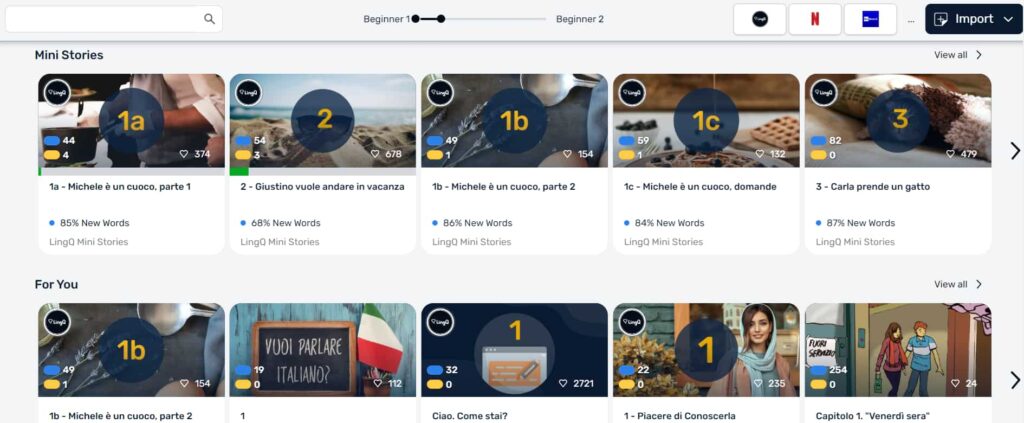
At first glance, LingQ appears a bit overwhelming with a lot of content thrown at you. The content is categorized into mini-stories, vocabulary lessons, trending topics, and recommendations. It seems like a vast collection of different materials, which could be daunting for a beginner.
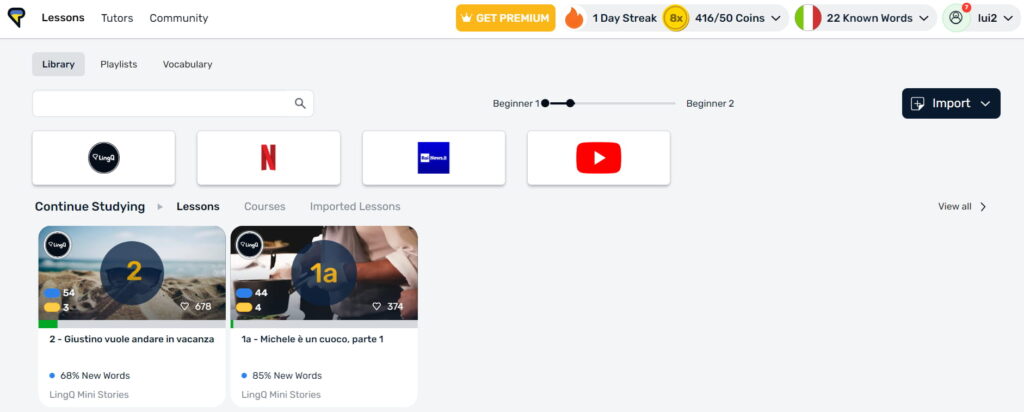
Navigating LingQ
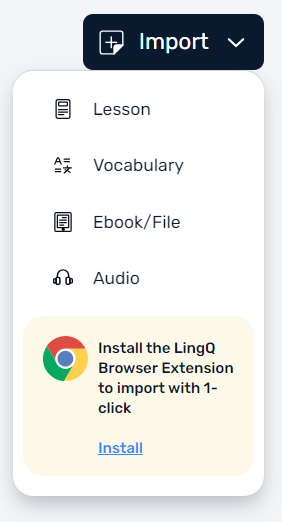
The app boasts an array of lessons categorized by types like mini-stories and vocabulary exercises. While navigating the app, I encountered various features and options that I found very interesting. For instance, there’s an option to import lessons, ebooks, and even integrate an extension for additional resources.
Course Content
As I mentioned previously, one of the most intriguing features is the ability to import external content, such as videos from YouTube or Netflix. The app purportedly creates transcripts for these imported materials, making it a personalized and engaging learning experience.
For instance, the Vocabulary section presents words and phrases but lacks a cohesive flow, making it feel disorganized.
Points and Currency System
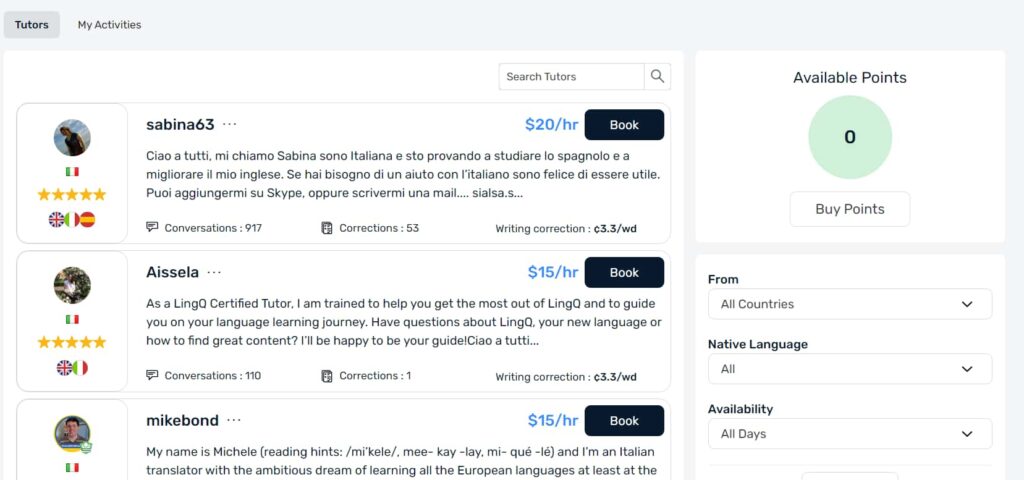
LingQ operates on a point system where users earn coins by completing lessons and activities.
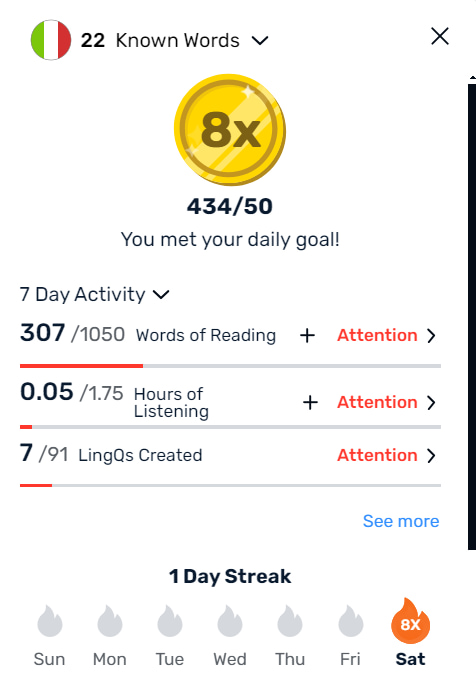
According to LingQ’s website, users can purchase points or earn them by tutoring, referring friends, and sharing lessons in the Library. If you accumulate points through any of these activities, you can redeem them for cash. While this gamification element is appealing, it raises questions about whether you can earn enough points through regular use or if you’ll need to purchase them to get the most out of the app.
Speaking Practice and Tutor Availability
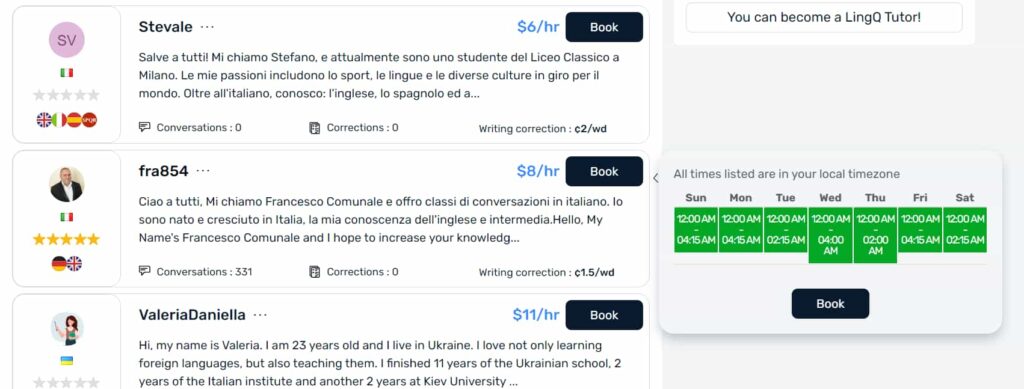
A significant downside I found is the lack of speaking practice within the core lessons. While LingQ provides ample reading and listening exercises, there is a noticeable gap when it comes to speaking practice.

The app does offer the option to book tutors for learning sessions, but this feels more like an add-on service rather than an integral part of the learning process. Considering the importance of speaking practice in achieving fluency, this is a significant shortcoming.
In-depth Course Review
To better understand LingQ’s structure, I decided to dive into one of their advanced courses. Some of the che content appeared to be categorized by difficulty levels, but on closer inspection, it became clear that the “advanced” tag mostly indicated complex material rather than advanced instructional design.
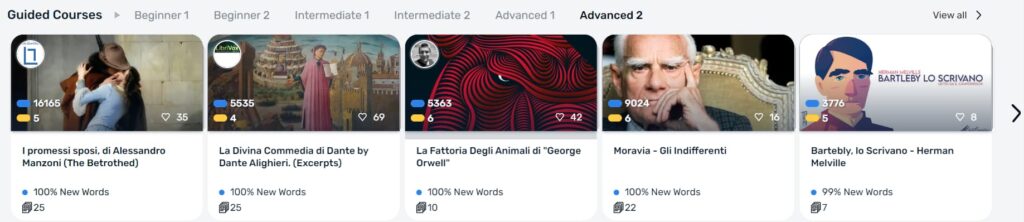
For example, the advanced course included entire ebooks, allowing users to read and listen to the text. However, the format remained the same: a focus on reading and listening without much interaction or speaking practice. Although this method can be effective for expanding vocabulary and improving comprehension, it falls short in encouraging active language use.
More notes from my earlier LingQ review (2020)
I first reviewed LingQ in 2020. The notes below come from that review, so treat them as a snapshot: LingQ has changed its interface since. The pros and cons above are the current summary.
How reading works
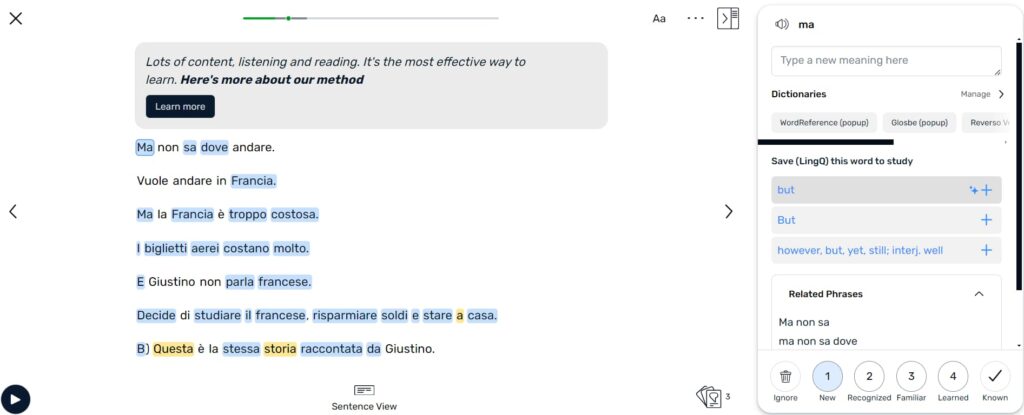
New words are highlighted in blue. When you click one and look up its meaning, it turns yellow and becomes a LingQ, a word you are learning. You can also mark a word as known or ignore it. When you go to the next page, any words still in blue are marked as known, and you can change that in the settings. You can look words up in external dictionaries, including Reverso and Google Translate. Each paragraph has a recording by a native speaker, with a button to slow it down.
My tip: don’t pause the audio to look up words. I read a text once, all the way through, and only then look up words, so I don’t lose the flow of thinking in Italian.
What bothered me
The Lesson Feed was ordered by the last time someone liked a lesson, and I could not sort lessons by number. Clicking a word played a text-to-speech voice that sounded like a robot, and Google Translate sounded far more natural. The speakers I heard had a strong regional accent and mixed up open and closed vowels. Most of the content is added by users, and a lot of it comes from other commercial resources. With coins, avatars, streaks and challenges around it, the text felt almost secondary. The only objective progress figure is the number of words you know, and it makes you overestimate your vocabulary.
Reviewing words
Spaced repetition is a sound method, but I am against too many flashcards. Every word you save joins the review list, and the list quickly becomes unusable. Words are learned better in context, so a smart system would bring them back inside other readings.
Tutoring and writing exchange
In 2020, LingQ’s live tutoring was the same kind of ad-hoc lessons you can arrange with any freelance tutor, not scheduled classes tied to the lessons. I did not think it was worth paying for. The writing exchange was fairly dead. On italki I found feedback much faster because the community is larger.
Final Thoughts
In conclusion, LingQ has some promising features that could potentially make it a useful tool for language learners. The ability to import personalized content is an innovative idea that could keep users engaged. However, there are significant areas that need improvement, particularly in the speaking practice area.
Features
Spaced repetition
Does the app offer plenty of repetition to acquire vocab and grammar naturally?
Customization
Can users customize settings, interface, content, etc.?
Focus on learning
Is the interface and content focused on the course content instead of fluff and gamification?
Personalization
Are the materials automatically tailored to the user’s profile?
Sentence accuracy
Are sentences free from typos, grammar errors? Do they sound natural?
Sentence relevance
Are sentences realistic and useful?
Variety and depth
Is there enough variety of materials in terms of topics, formats and levels?
Audio quality
Are audio materials easy to listen to in terms of recording quality and speech rate?
Speaker's quality
Do speakers speak correctly, clearly and naturally?
Speaking practice
Does the app offer plenty of speaking practice?
Ease of use
Is the app easy to set up, use and navigate?
Interface and design
Is the user interface neat and visually appealing?
Performance
Does the app load fast? Is it free from glitches and crashes?
Grammar notes
Do the courses come with grammar notes?
Learning path
Do the courses follow a well defined path?
Speech recognition
Does the app recognize user speech?
User-generated courses
Can users actively generate materials from their interests?
Offline access
Are the courses available offline?
Conclusions
Would I take these courses?
I wouldn't use LingQ for fluency: it lacks speaking practice and has no learning path. In my opinion the reading material is the only part worth paying for, so the only way it makes sense to me is as a library of readings and listening.
How to get the most out of the app
Treat LingQ as a library of readings and skip the grammar lessons. Read each text once without stopping and look up words only afterwards, so you keep the flow of thinking in Italian. Save only the words you really want to learn, or the review queue becomes unmanageable. Use the import feature for material you enjoy, keeping in mind that the free plan allows only 5 imports. For tutoring and writing corrections, italki is a better place.
Alternatives
Think In Italian is better than LingQ to master Italian
Think In Italian is the only app that gets your to speak Italian all the time. It comes with hundreds of grammar lessons and readings to listen and repeat, plus an AI tutor to review the courses and practice conversation. See the full review.
FAQs
Does LingQ offer speaking practice?
No, the app focuses on reading and listening. Live tutoring and writing exchange are add-ons, and I prefer italki for both.
Is LingQ structured for beginners?
No, the app lacks a clear structure. Lessons come from many sources and follow no plan, so it works better once you already understand some Italian.
Can I import content into LingQ?
Yes. You can import YouTube videos, Netflix subtitles, ebooks and podcasts. The free plan allows 5 imported lessons, and imports have size limits (60 minutes of audio and 60 MB per file).
Does LingQ have a free trial?
There is no timed free trial. LingQ has a free plan with tight limits and a 30-day money-back guarantee if you sign up for Premium.
What are the limits of the free version of LingQ?
You can save 20 words or phrases, create 5 lessons from imported content and keep 1 audio playlist. Full-sentence translations, statistics and offline access need Premium.
How much does LingQ cost?
Premium is $14.99 a month, about $10 a month on the 12-month plan and $8.99 a month on the 24-month plan. Premium Plus is about $22.50 a month on the annual plan (USD, September 2026). LingQ shows prices in your local currency.
Is LingQ good for learning Italian?
It is good for reading and listening practice with real material once you know the basics. It is not a course: there is no learning path and almost no speaking practice.
Is LingQ worth it?
It can be if you enjoy reading and listening to authentic material and will save words selectively. Start on the free plan to see if the workflow suits you. If you want a course, speaking practice or structure, look elsewhere.
A better choice: Think In Italian
Create a free lifetime account to get access to all the free courses and other resources.
Rave Reviews


★★★★★
Rated 4.9/5 based on 170+ reviews