1. To cancel your subscription, click “More” on the left side of your screen.

2. From the options, click on “Manage account“.

3. Once you’ve clicked on it, you will be taken to the Account area. From here, select “My Subscription“.
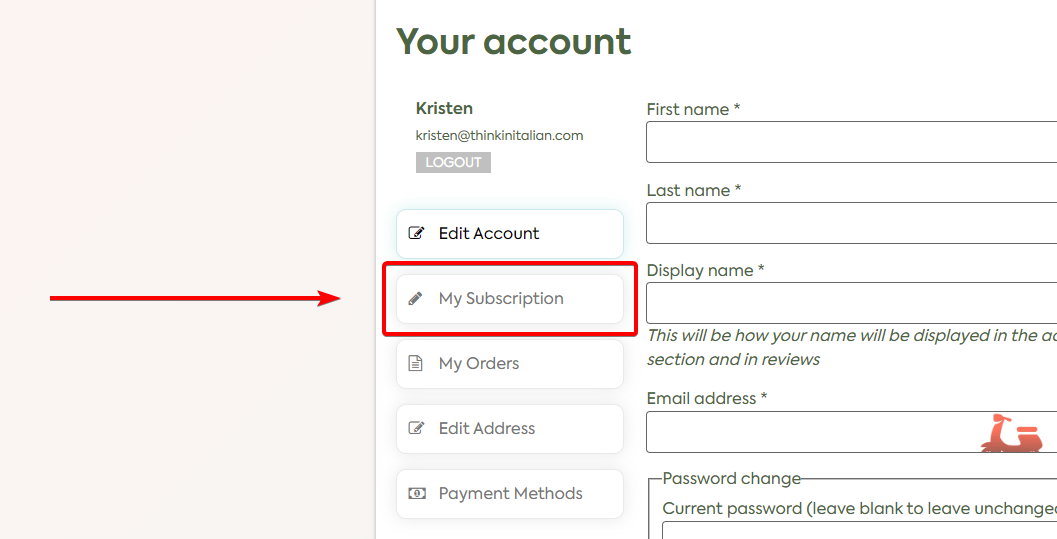
4. Find your current subscription and click on “View“.

5. You should be able to see your active subscription. Just simply click on the “Cancel” button to cancel it.
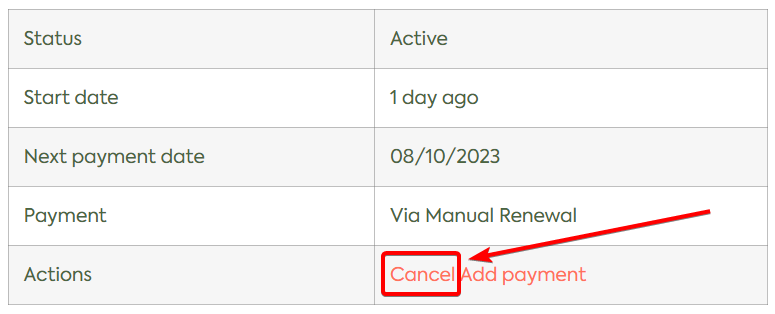
Even after you canceled, you still have access to your content until the end of the current billing cycle.
You will be not charged anymore starting from the next billing cycle (i.e. next month if you have a monthly subscription).
Please note that no refunds will be given for the current billing cycle.